Cases and workspaces
A shared business context for people, records and documents.
- Create a space for each client, building, engagement or project.
- Apply the record types and skills defined by its solution pack.

The SwissAutomate×AI business platform
Your cases, business records and documents in one workspace. Your team can ask an assistant to find information, prepare a deliverable and propose the next actions.
An example request
“Prepare a summary of this case and identify what still needs checking.”
The assistant uses accessible sources, prepares a draft and submits actions to the required approvals.
Illustrative example, depending on the data and enabled features.
A visual product walkthrough
From the case to a proposal, then your decision. Explore an example invoice in a property workspace.
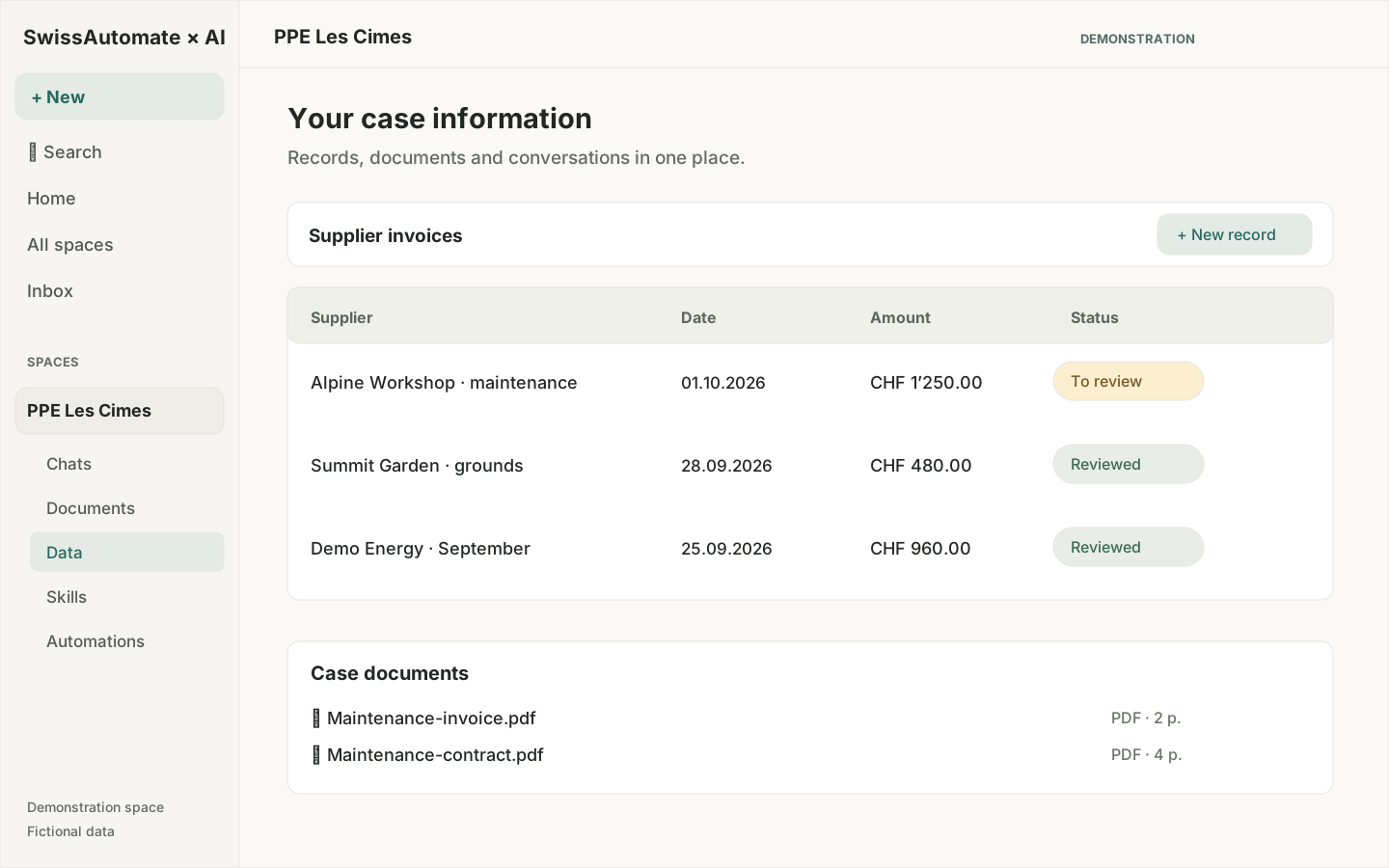
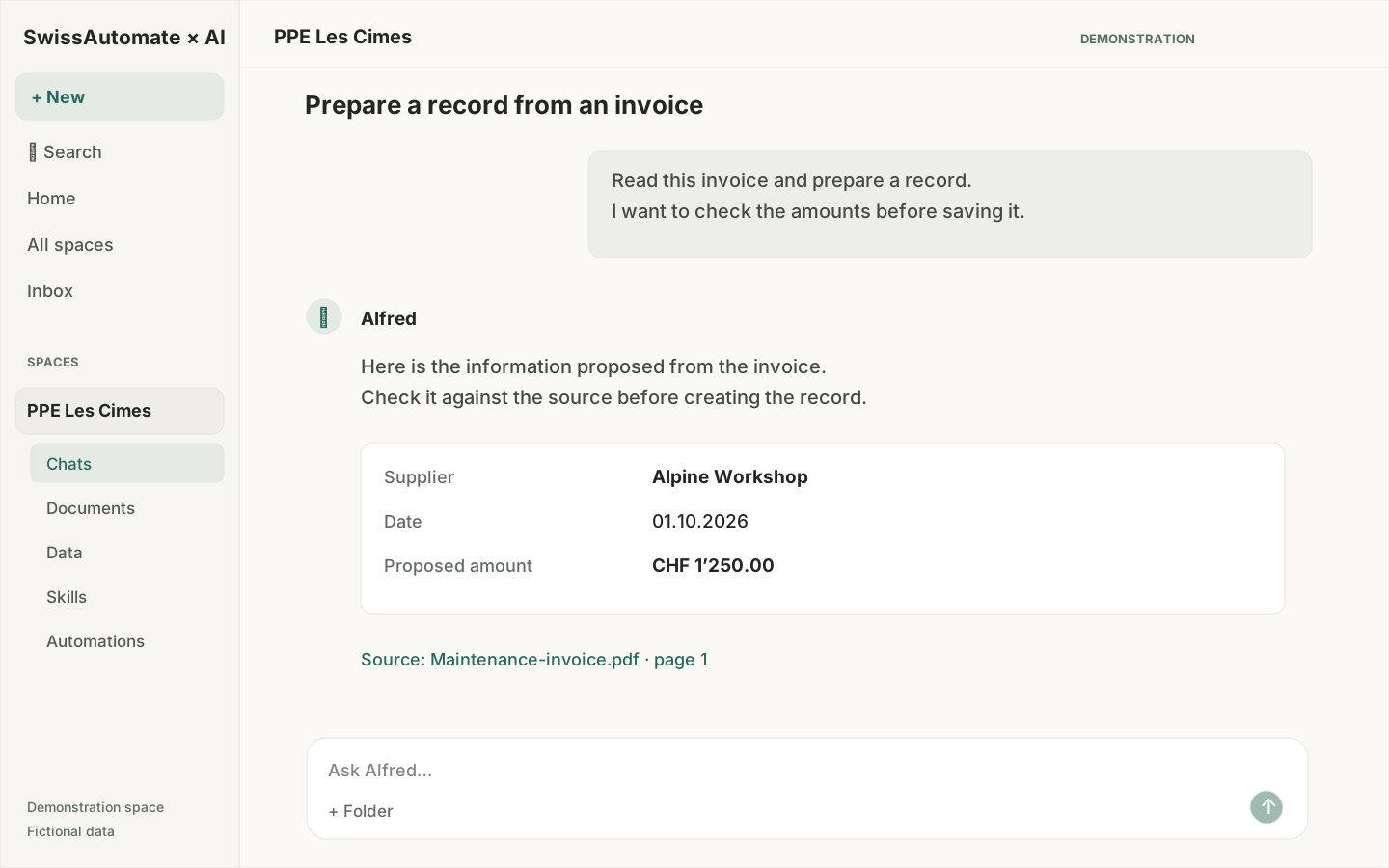
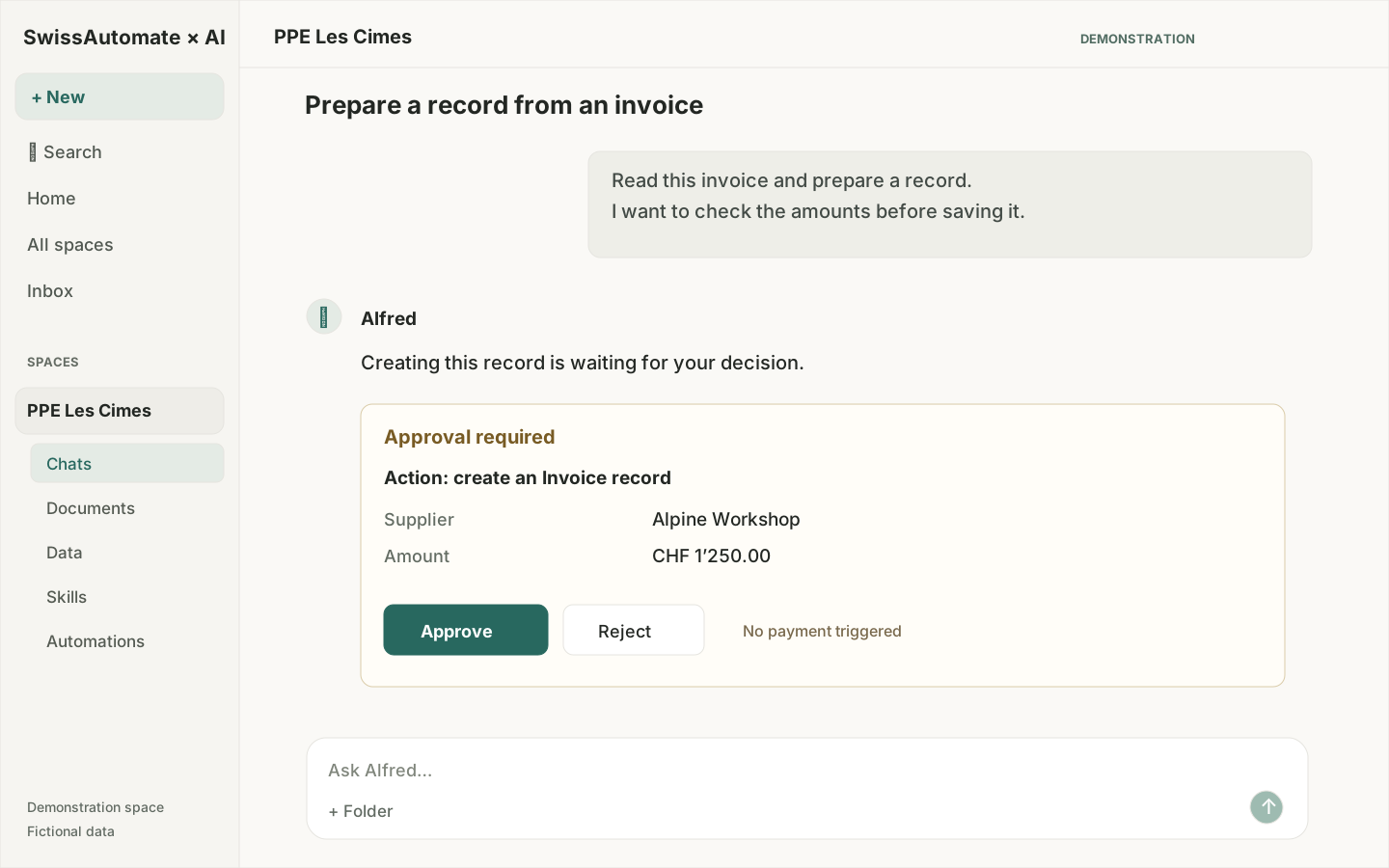
Illustrated preview of the current interface, using fictional data. Screens and functions depend on the pack and configuration.
A shared platform configured with your fields, document templates and working rules.
A shared business context for people, records and documents.
Describe information using the terminology and rules of your business.
“Update the case status and prepare a report using the verified information.”
Find information in indexed content the user can access.
Prepare structured information from source documents.
Produce deliverables using information from the case.
Understand how a case has changed.
History does not imply a complete visual comparison of every version.
Repeat a defined process with its rules and approvals.
Unattended execution depends on action type and explicit authorisation.
Review a proposal before it changes the case.
Financial, legal and external actions retain professional approval requirements.
Connect authorised work sources to the platform.
Microsoft activation and permissions required. Validate scope in your tenant.
Add services when the process and permissions justify them.
Conditional modules. Accounts, contracts, activation and end-to-end tests required.
An architecture intended to control data and operations.
Document topology, subprocessors and commitments per client. No ISO certification claim.
An illustrative workflow to configure
A possible first scope for a property manager. The responsible person keeps the decision on accounting treatment.
A user adds the invoice, or an authorised connection makes it available.
It extracts the supplier, date and amount, then proposes a record for review.
They compare the proposal with the invoice, fill any gaps and approve or reject it.
The approved record and document provide an outcome to verify. Further steps follow your rules.
Illustrative scenario. Accounting-system integration, posting and payment require separate scoping.
These examples help choose a first pilot. Each scope needs its own data, rules and acceptance checks.
Gather a building’s documents and prepare a summary or draft statement.
A professional checks the amounts and allocation rules.
Extract invoice information and propose structured records.
Accounting treatment remains subject to your approval.
Prepare a factual note using the main document and its annexes.
Legal conclusions remain with the responsible professional.
Find relevant instructions and prepare an onboarding checklist.
Access rights and procedure versions still need checking.
You decide who can access cases and which actions require approval.
The assistant uses the tools and sources authorised for the case.
Proposals show the changes to review before governed execution.
The offering provides for a dedicated instance in Switzerland and self-hosted inference. Together we define data flows and external services.
We agree on a useful output, then verify it with your team.
Choose the process, documents and person who will accept the result.
Prepare the records, templates, permissions and required connections.
Test representative cases, including a missing document or a proposal that needs correcting.
Compare total time, corrections and quality before expanding the scope.
An initial setup engagement, followed by a subscription sized for users, volumes, connections and agreed support. The proposal specifies services and commitments.
The assistant works with the platform’s records, documents and authorised tools. It can prepare a deliverable and propose actions within a case, with the required controls. Available capabilities depend on the solution pack and configuration.
We first identify which tools to retain and which data to connect. Microsoft 365 offers connection journeys for authorised sources. Other integrations need assessment before inclusion in the proposal.
Autonomy depends on the action and agreed rules. Processes can include human approvals. Moving to unattended operation requires an explicit decision and suitable verification.
The business platform provides for Swiss hosting and self-hosted inference. The precise scope, flows to connected services and contractual commitments are defined for your deployment.
The platform can support property cases, accounting preparation, client work and internal procedures. The examples on this page are pilot ideas. We confirm the features and solution-pack content during scoping.
Bring an anonymised example case and the result you want. We define the pilot scope and acceptance criteria. The offer includes setup and a tailored subscription, without assuming a price or numerical saving.
Let’s start with an anonymised example. We will show the relevant features and define the conditions for a first pilot.
Request a demonstration